

UBNT Device Ko Kaise Configure करे 100% Free में
नमस्कार दोस्तों कैसे हो आप सब आज मै आप को Wifi में जो यूज़ होता है ? Wireless Device UBNT का उसको कैसे Configure करते है ! फ्री मे सीखें!
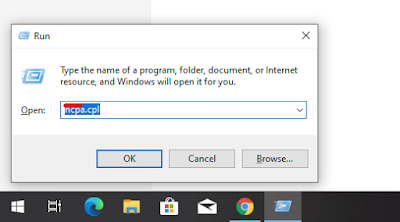
➥ सबसे पहेले आप को अपने device को अपने कंप्यूटर से connect करना होगा ! connect करने के बाद आप को RUN में जाना होगा जैसे आप देख सकते है !!
➥ उसके बाद आप को ओहापर टाइप करना होगा ( ncpa.cpl ) कुछ इस तरीके से फिर आप को ओके पर क्लिक कर देना है !
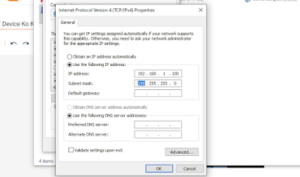
➥ इतना करने के बाद आप को अपने device का defult ip डालना है जैसे > 192.168.1.20
फिर आप को उसके बाद अपना google chorme खोलना है ! खोलने के बाद आप को type करना है अपना defult ip जो की 192.168.1.20 से आप का device खुल जायेगा, फिर आप को यूजर नाम और password दल कर और country Hongkong select करदेना है, फिर आप का device जो है setup करने के लिए रेडी हो जायेगा जैसे आप, इस विडियो में देख सकते है, पूरी जानकारी मिलजाएगी